Manual Web Scraper
Quickly and easily create CSV files from visual selections on any website.
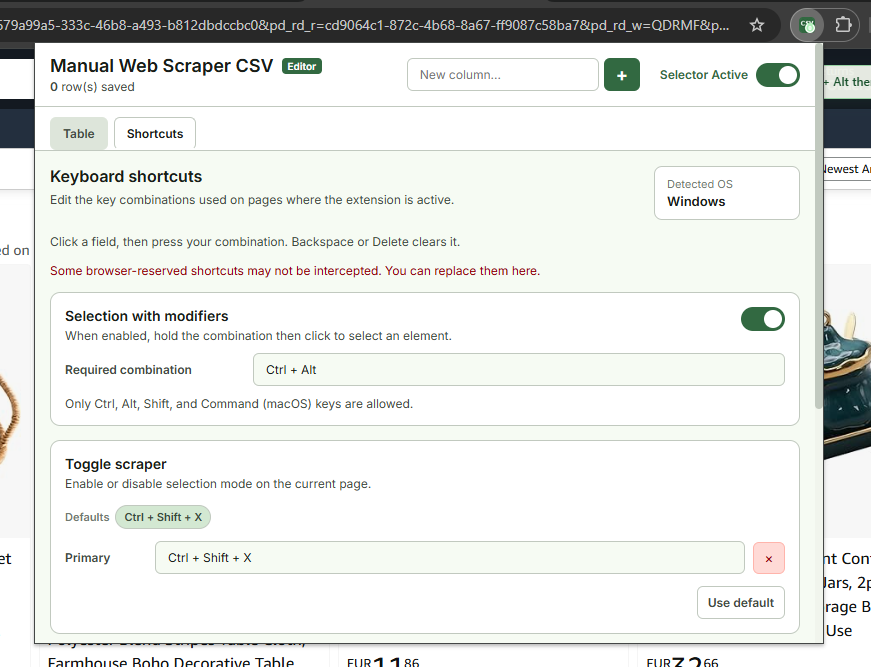
Explore the interface
Simple, intuitive, and built right into your browser.
Why use our extension?
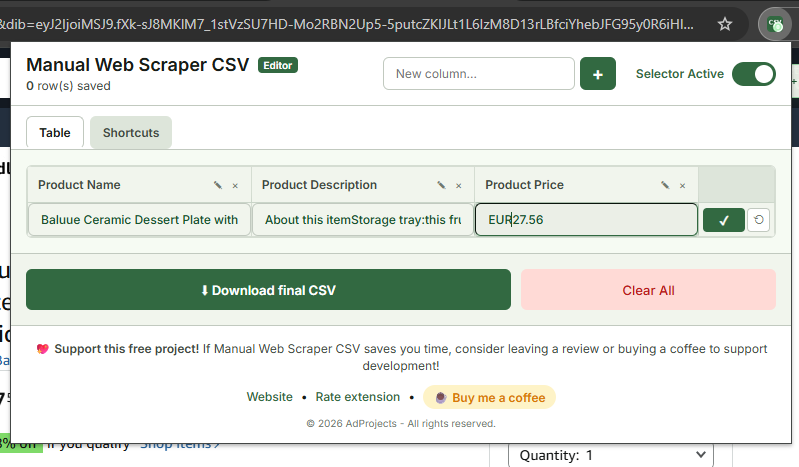
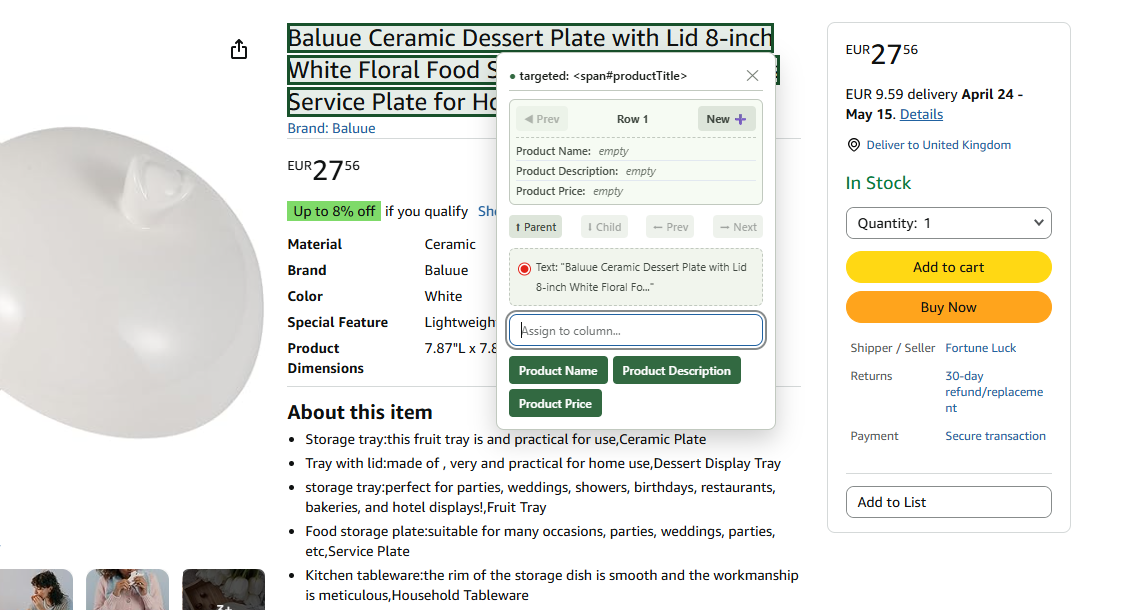
Intuitive selection
Simply click on the elements on the page you want to capture. The extension does the rest.
- Instant visual selection
- Guided extraction in just a few clicks
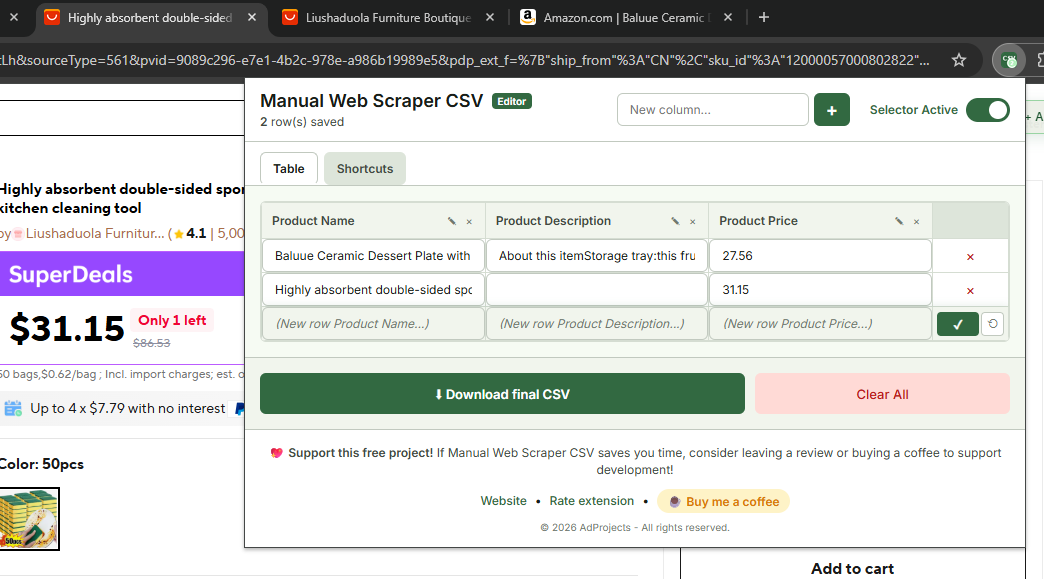
Live Editing
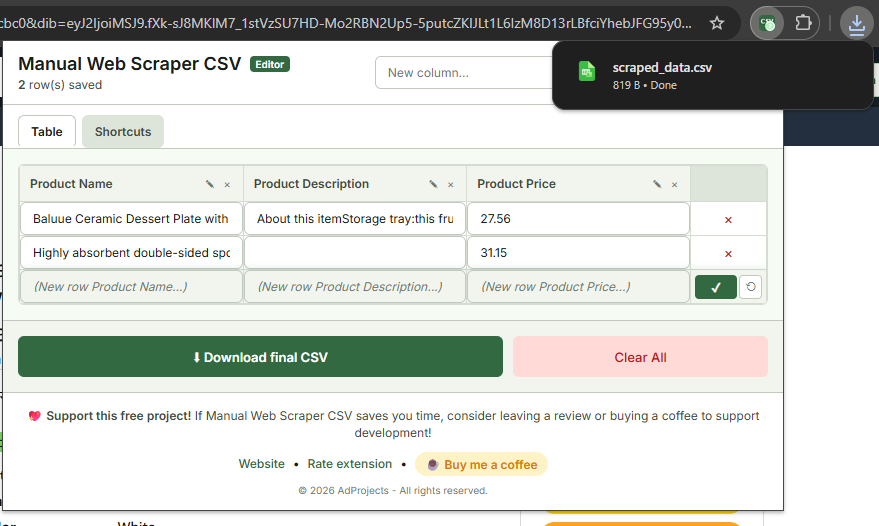
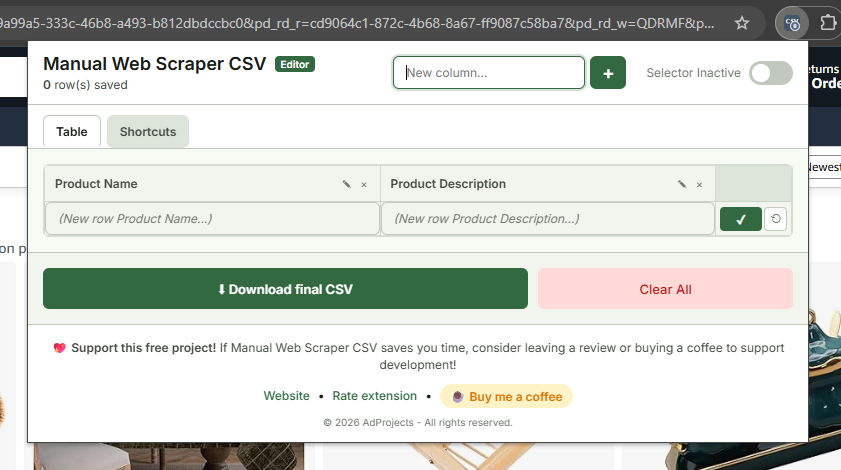
Get an instant overview of your data in table format. Add, edit, or delete columns with a single click.
- Instantly editable columns
- Clear preview of rows
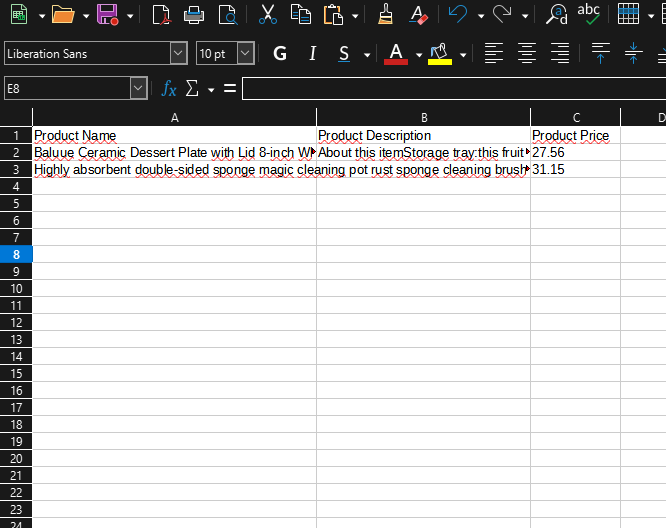
Instant Export
No complicated setup. Download your clean, well-structured CSV file instantly.
- One-Click CSV Export
- Data ready for analysis
Support development
This extension is free. Your donations help cover hosting costs, maintenance and allow us to continue adding new and useful features.

Frequently Asked Questions
Everything you need to know to get started with this web scraping extension.
Yes. The extension is completely free to use. Donations are optional and help support ongoing development.
The extension is a tool. You are responsible for how you use it and for complying with the terms of the websites you scrape.
If the extension saves you time or improves your workflow, your support helps maintain it, fix bugs, and add new features.
Donations are voluntary and don’t unlock features. The extension remains free for everyone.
Yes. Payments are processed via trusted providers like PayPal and Stripe. Your payment details are never stored.
Donations are generally non-refundable, but you can contact support if there is an issue.
No personal data is collected beyond what is necessary for the extension to function. (À adapter selon ton vrai comportement)
Possibly. For now, the extension remains free, and donations help keep it that way.
You can contact support or use the project page to submit feedback.